



Your Ideal Organized Desktop Wallpaper: 12 Resources and Templates for 2026
A cluttered computer desktop filled with icons and scattered files is not only unpleasant to look at, but it can also hinder your focus and efficiency. The solution? An organized desktop wallpaper. It’s not just an image, but a true work tool that visually structures your digital space. By delineating clear areas for your projects, files to process, or applications, you reduce the time spent searching for information and decrease your mental load.
This comprehensive guide is your starting point for transforming your desktop. We have selected and analyzed 12 of the best platforms, from Canva to Etsy, including specialized creator shops. For each resource, you will find concrete examples, direct links, and practical tips for choosing the template that precisely matches your workflow and productivity goals.
The goal is to provide you with a functional and aesthetic framework. For a complete digital transformation, the principles of AI decluttering can also be applied to create a clear workspace conducive to concentration. Get ready to rediscover a digital desktop that inspires clarity and efficiency.
1. Etsy: The Infinite Marketplace for All Styles
Etsy is a true goldmine for anyone looking for an organized desktop wallpaper with a personal touch. The platform stands out for its nearly unlimited selection, powered by independent creators from around the world. You will find thousands of ready-to-use templates, often sold in complete packs.
These sets frequently include monthly variations with calendars, custom folder icons, and versions adapted to different screen resolutions (16:9, 16:10, ultra-wide). It’s the perfect solution for obtaining a unique and functional design without having to create anything yourself. Styles vary greatly, from clean minimalism to bohemian vibes, including seasonal themes or lofi.
Highlights and Considerations
- Advantages: The variety is immense, and prices are very accessible, often just a few euros for a complete pack. Detailed buyer reviews and Etsy's purchase protection offer great peace of mind.
- Disadvantages: Quality can vary from seller to seller. It is crucial to check previews, the proposed resolution, and reviews before purchasing. Licenses are generally limited to personal use.
Tip: Use search filters to sort by “Best Sellers” or by seller to quickly find high-quality creations. For businesses, a unified desktop wallpaper can be an excellent simple visual tool to strengthen team cohesion during internal events.
Access: Discover wallpapers on Etsy
2. Canva: The All-in-One Creator for Custom Design
Canva has established itself as the go-to tool for those who want to create their own organized desktop wallpaper without advanced graphic skills. Its strength lies in its online editor, which allows you to start from scratch or modify existing templates via a simple drag-and-drop. You can easily create clear sections like “To Do,” “Ongoing Projects,” or “Files to Sort,” using your own colors and typography.
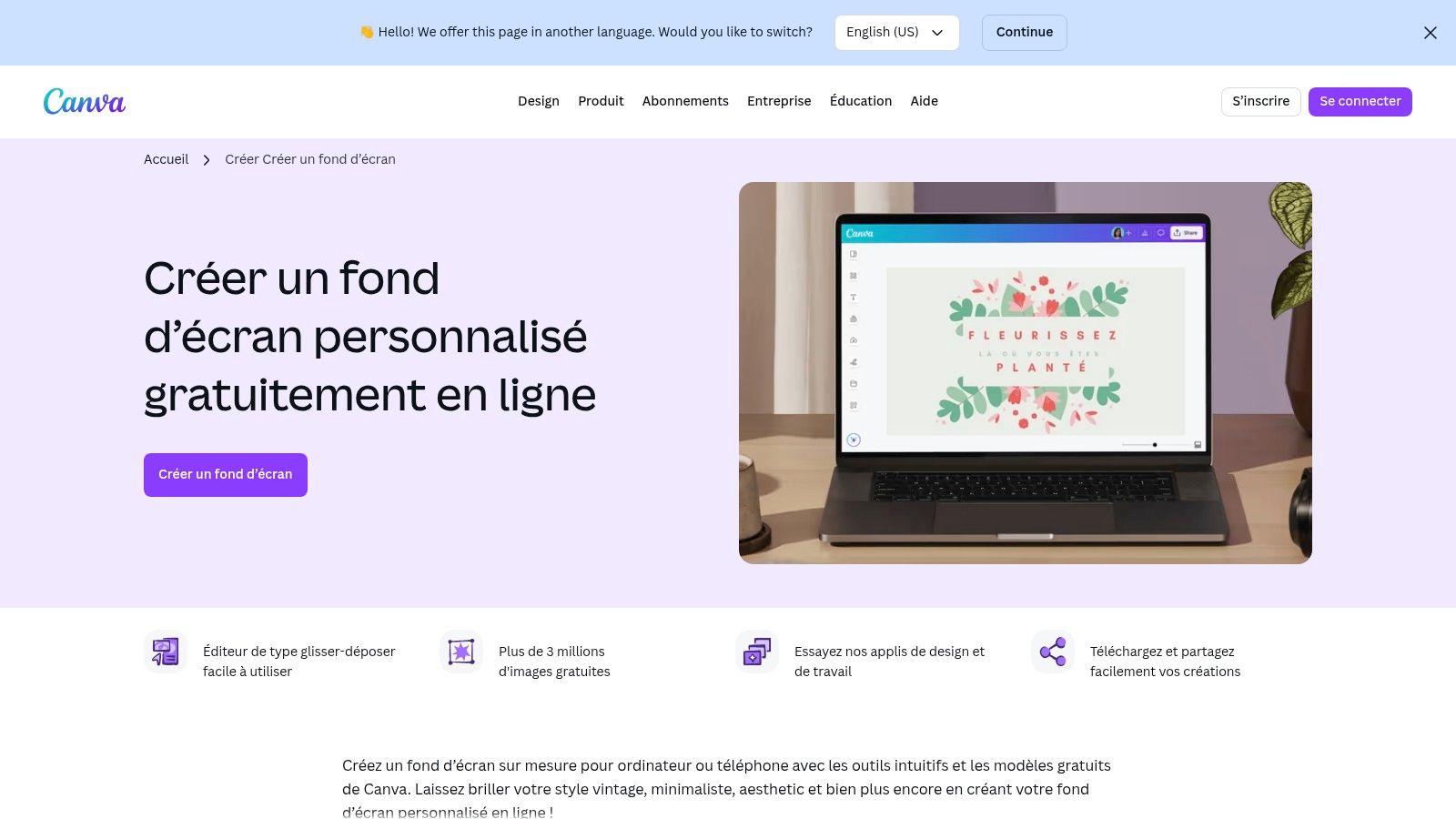
This flexibility is ideal for companies that want to adapt their digital workspace to their visual identity. It becomes very easy to create multilingual or customized variants for different departments. Once the design is finished, exporting to PNG or JPG is done in one click, at the exact resolution of your screen, ensuring perfect image quality.
Highlights and Considerations
- Advantages: The free version is very comprehensive for this use. The interface is intuitive, quick to learn, and collaborative, facilitating visual consistency within teams. Ideal for adhering to a graphic charter (colors, fonts).
- Disadvantages: Some high-quality templates and graphic elements are reserved for the Pro subscription. Canva does not include packs of system folder icons, which must be found and applied separately.
Tip: For a company, deploying a standardized desktop wallpaper is an excellent way to communicate shared values or goals. It’s a detail that can impact company culture and discover how to motivate employees daily.
Access: Create a wallpaper on Canva
3. Adobe Express: Custom Creation Integrated into the Adobe Ecosystem
Adobe Express positions itself as a powerful alternative for those who want to create a fully customized organized desktop wallpaper. Less a marketplace than a creation tool, it allows you to start from professional templates or a blank page to design a visual perfectly suited to your needs and the exact resolution of your screen (for example, 1920x1080).
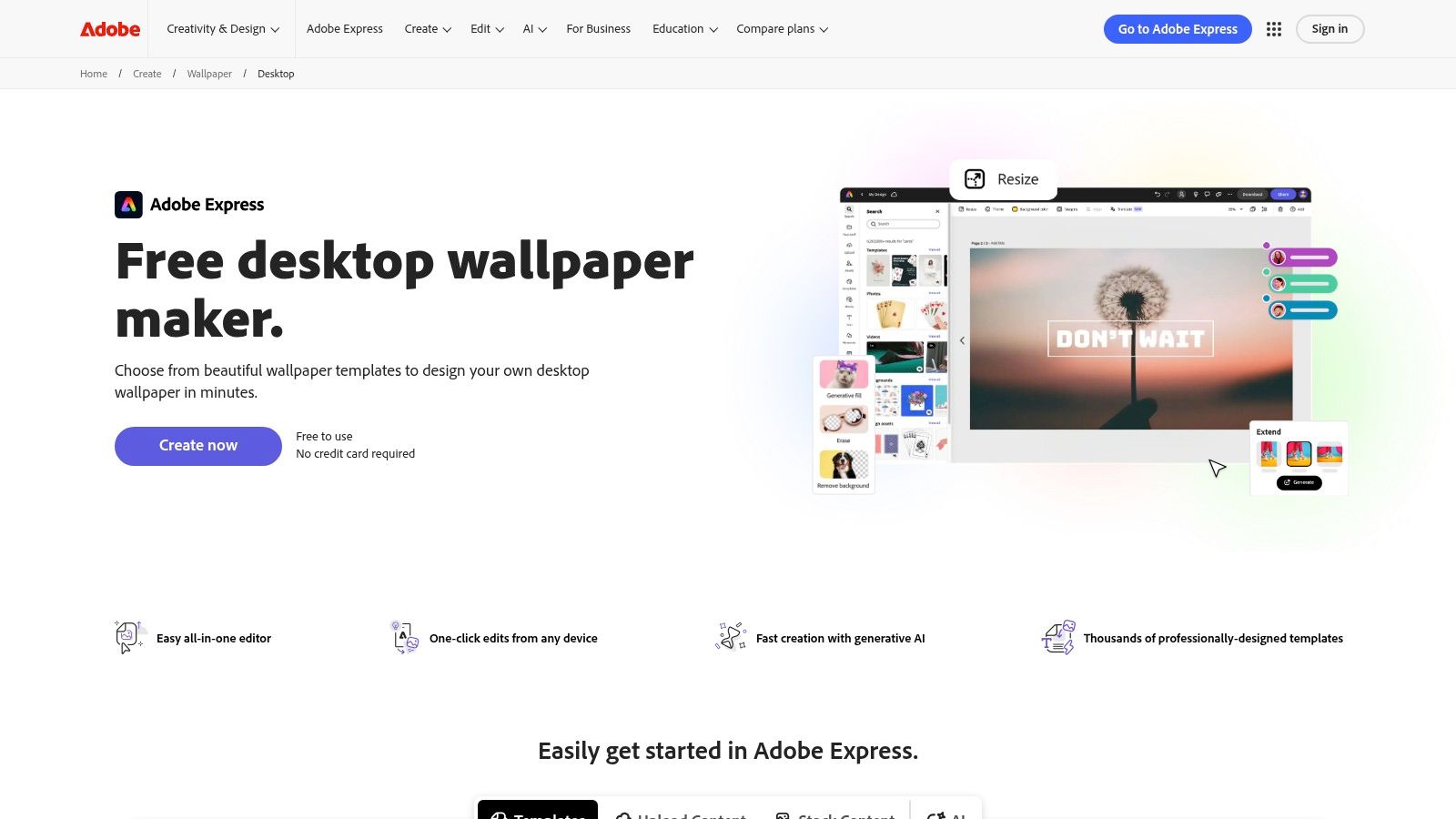
Its intuitive editor, available on web and mobile, makes it easy to add grids, text areas for categories (“To Do,” “In Progress,” “Done”), and brand visuals. The integration of generative artificial intelligence allows for the creation of unique backgrounds in seconds. It’s the ideal tool for teams already familiar with the Adobe ecosystem, ensuring graphic consistency with other communication materials.
Highlights and Considerations
- Advantages: Great creative flexibility, high-quality templates, and perfect integration with other Adobe products. The free version is already very functional for basic needs.
- Disadvantages: The most advanced features and some templates are reserved for the Premium subscription. The interface may sometimes display in English depending on the browser's regional settings.
Tip: Use the “Resize” feature to quickly create versions of your wallpaper suited to multiple formats, such as ultra-wide screens or dual monitor setups, ensuring perfect visual continuity.
Access: Create a wallpaper on Adobe Express
4. Freepik: The Resource for Advanced Customization
Freepik is a vast library of graphic resources, ideal for those who want to create their own organized desktop wallpaper or deeply modify an existing template. The platform offers not only ready-to-use images (JPG, PNG) but also editable source files (PSD for Photoshop, AI for Illustrator) that provide total flexibility. You can adjust colors, texts, the layout of areas, and even integrate your company logo.
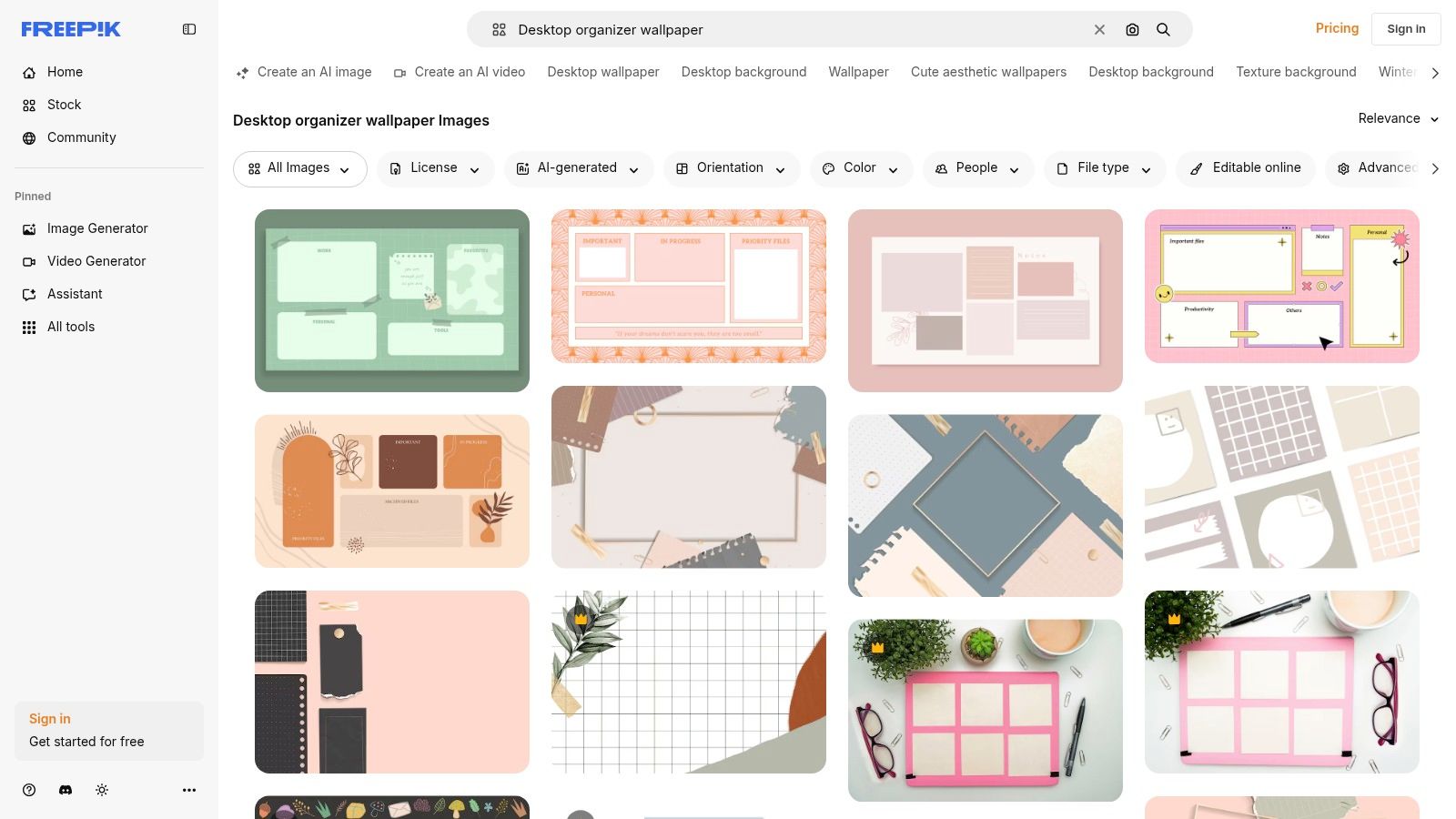
Unlike Etsy, where you buy a finished product, Freepik is more of a creative starting point. It’s the perfect option for marketing or internal communication teams that need to create a branded and tailored wallpaper, mastering every visual detail. The offering is divided into free resources (with attribution required) and a Premium plan that unlocks the entire catalog without constraints.
Highlights and Considerations
- Advantages: Creative control is maximal thanks to editable source files. The vast selection allows you to find working bases for almost every style, from the most sober to the most illustrated. The free version is very generous.
- Disadvantages: Requires basic design software skills (Photoshop, Illustrator) to be fully utilized. Free templates require attribution, which can be a constraint in a professional context.
Tip: Use keywords like “desktop organizer template,” “screen organizer,” or “wallpaper schedule” in addition to French to find gems. Filter by “Vectors” or “PSD” to get directly editable files.
Access: Explore resources on Freepik
5. Creative Market: The Premium Choice for Customization
Creative Market positions itself as a high-end marketplace for professionals and discerning creators. If you are looking for an organized desktop wallpaper that offers impeccable graphic quality and advanced customization options, this is the ideal platform. Products are often created by professional designers and include editable source files.
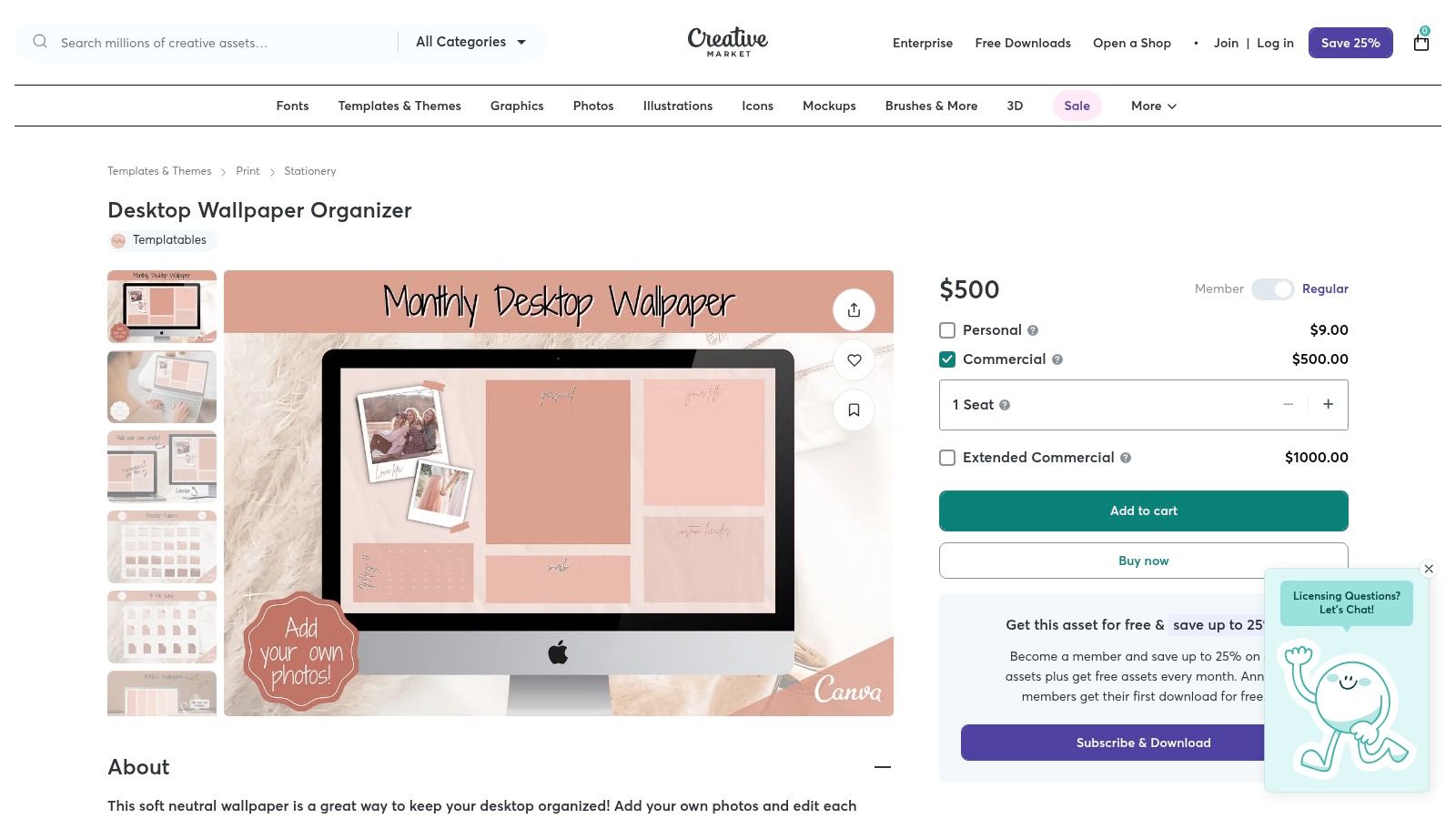
The main difference with other platforms is the ability to purchase fully editable templates, compatible with software like Canva, Adobe Photoshop (PSD), or Illustrator. This allows you to adjust colors, fonts, and even layout to perfectly match your graphic charter or preferences. Packs often include matching icon sets, calendars, and multiple formats for perfect visual consistency.
Highlights and Considerations
- Advantages: Superior and consistent graphic quality. Files are designed to be easily customizable, making it an excellent option for professional use or for those who want total control over the design.
- Disadvantages: Prices are generally higher than on sites like Etsy. Some designs may seem a bit dated, so it’s important to carefully examine previews and publication dates.
Tip: Look for “bundles” that group several templates and icon sets at a reduced price. Carefully read the product description to check software compatibility and included usage licenses.
Access: Discover wallpapers on Creative Market
6. Gridfiti Shop: Aesthetic Above All
Gridfiti Shop is a specialized store aimed at those who prioritize a strong and coherent artistic direction. Rather than offering an infinite array of choices, Gridfiti provides carefully selected wallpaper packs, often themed around specific concepts like “Aura” or “Hearts.” These sets are perfect for unifying the appearance of all your devices.
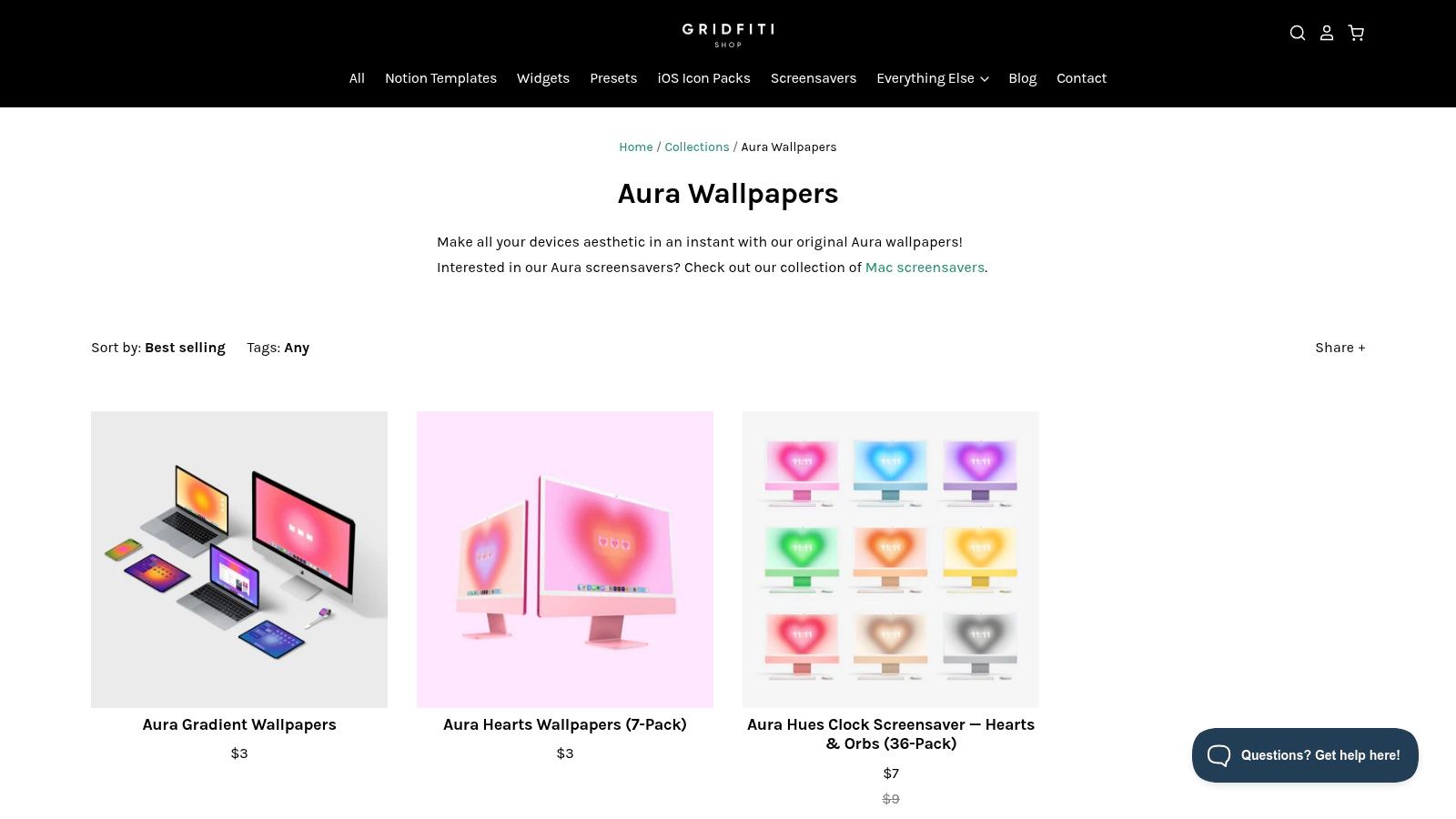
The great strength of Gridfiti lies in its multi-device packs, which include high-resolution versions for desktop, tablet, and mobile. This way, you achieve a harmonious visual ecosystem. Although purely organization-focused options with predefined areas are fewer than on other platforms, the quality and refined design of the creations make it an excellent resource for an organized desktop wallpaper with a touch of elegance.
Highlights and Considerations
- Advantages: Very polished design and coherent artistic direction. Multi-device packs ensure perfect visual harmony between your computer, tablet, and phone.
- Disadvantages: The selection is more limited and less focused on strict organization models. Licenses are reserved for personal use only.
Tip: A visually pleasant work environment is often an underestimated factor for improving quality of life at work. Choose a Gridfiti pack whose colors and style match the atmosphere you want to create.
Access: Discover wallpapers on Gridfiti Shop
7. Gumroad: The Platform for Independent Creators
Gumroad is a favored space for buying directly from independent creators, offering a wide choice of organized desktop wallpapers and icon packs. The platform is known for its digital products, ranging from minimalist templates to more specific themes like versions adapted for people with ADHD. You often find very up-to-date packs, with calendars for 2025 and 2026, available in high resolution (Retina, 4K).
The purchase on Gumroad allows you to directly support an artist or designer. Products are usually delivered as instant downloads (PNG, ZIP), making the experience simple and quick. Creators often offer very low prices and promotions, making it an interesting alternative to large marketplaces.
Highlights and Considerations
- Advantages: Very affordable prices and direct support for creators. Delivery is immediate, and sellers are often responsive to questions. You can find very specific and modern designs.
- Disadvantages: Quality and user experience vary greatly from seller to seller. The no-refund policy for digital products is common, so you need to check your purchase carefully.
Tip: If you are considering monetizing your own creations, learn how to successfully sell digital products on platforms like Gumroad.
Access: Explore wallpapers on Gumroad
8. Ko-fi Shop (Wallsthetic Designs): The Budget Option for the Whole Year
Ko-fi is a creator support platform where you can find digital shops like Wallsthetic Designs. This seller specializes in creating annual packs of organized desktop wallpapers, offering a complete and coherent solution for the twelve months of the year. Each pack typically contains PNG files for each month, designed with delineated areas for applications, work files, and notes.
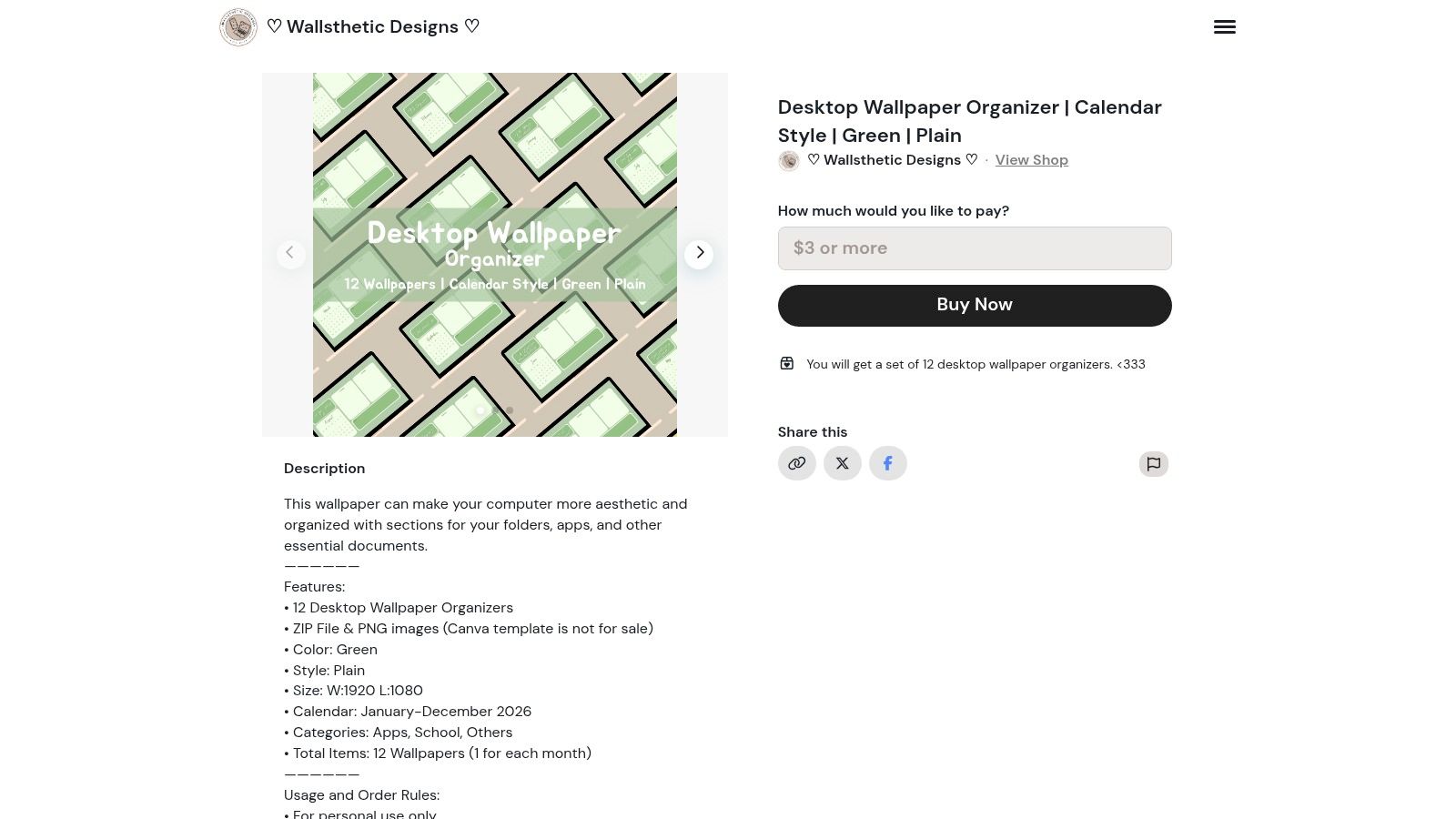
These sets are ideal for those who like to change their wallpaper with the seasons while maintaining a consistent organizational structure. The download is instant via a ZIP file, and the designs are often offered in a standard resolution of 1920x1080, suitable for most screens. It’s a “buy once, organized for the year” approach that is very practical.
Highlights and Considerations
- Advantages: Excellent value for money for obtaining a dozen thematic and functional wallpapers. The purchase is simple, direct, and supports a small creator. The integrated calendars are a major asset.
- Disadvantages: Files are delivered “as is” (often in PNG) and are not editable like Canva templates. Some older packs may not include matching folder icons, limiting customization.
Tip: Before purchasing, be sure to check the year of the calendar on the presentation images. Creators on Ko-fi often update their packs for the upcoming year towards the end of autumn.
Access: Discover packs on Ko-fi
9. Design Bundles: Affordable Packs for Easy Renewal
Design Bundles is a marketplace similar to Etsy, but very focused on graphic resources at competitive prices. It’s an excellent source for finding an organized desktop wallpaper when budget is a priority. The platform stands out for its frequent promotional offers and the sale of packs containing multiple color variations for the same design.
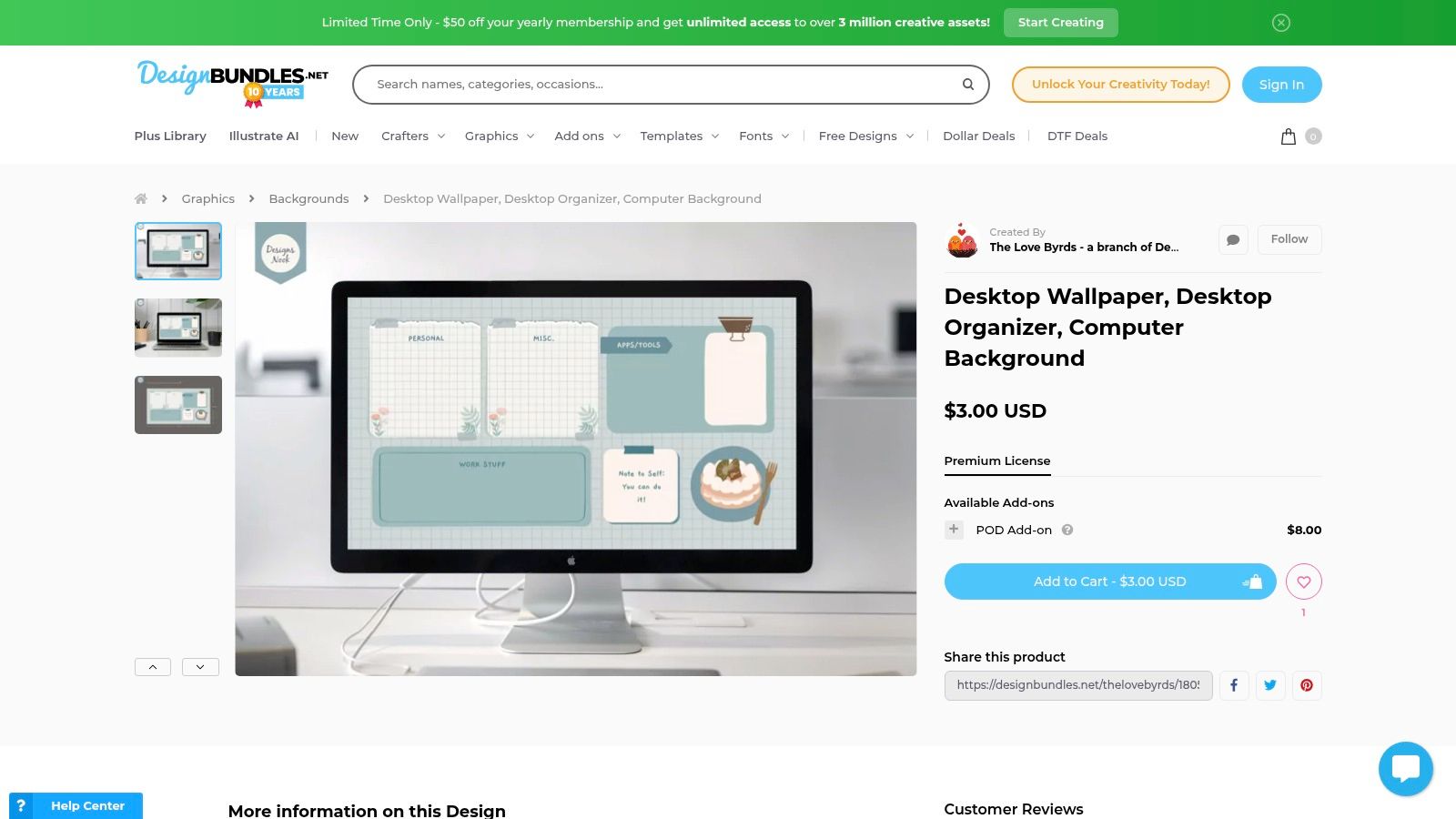
Products are generally offered in high resolution (for example, 3200×1800 pixels) and are ready to use. The rating system and clear licensing options allow for confident selection. This solution is particularly suitable if you like to change your wallpaper regularly or if you want to quickly deploy multiple variants within a team without investing a significant budget.
Highlights and Considerations
- Advantages: Prices are very low, with items often heavily discounted. The ability to obtain multiple color variations in a single purchase is a major asset for customization.
- Disadvantages: The interface is primarily in English, which may be a barrier for some users. The quality and updating of calendars vary from creator to creator, so it’s important to check product details carefully.
Tip: Take advantage of regular promotions and “bundles” to acquire a large collection of wallpapers at minimal cost, ensuring a variety of choices for the entire year.
Access: Discover wallpapers on Design Bundles
10. Adobe Stock: Professional Quality and Legal Security
For businesses and professionals demanding impeccable visual quality and legal clarity, Adobe Stock is the reference. Unlike consumer marketplaces, this image bank offers an organized desktop wallpaper of editorial caliber, created by professional photographers and graphic designers. The focus is on high-resolution visuals, aesthetically refined and perfectly suited for a corporate environment.
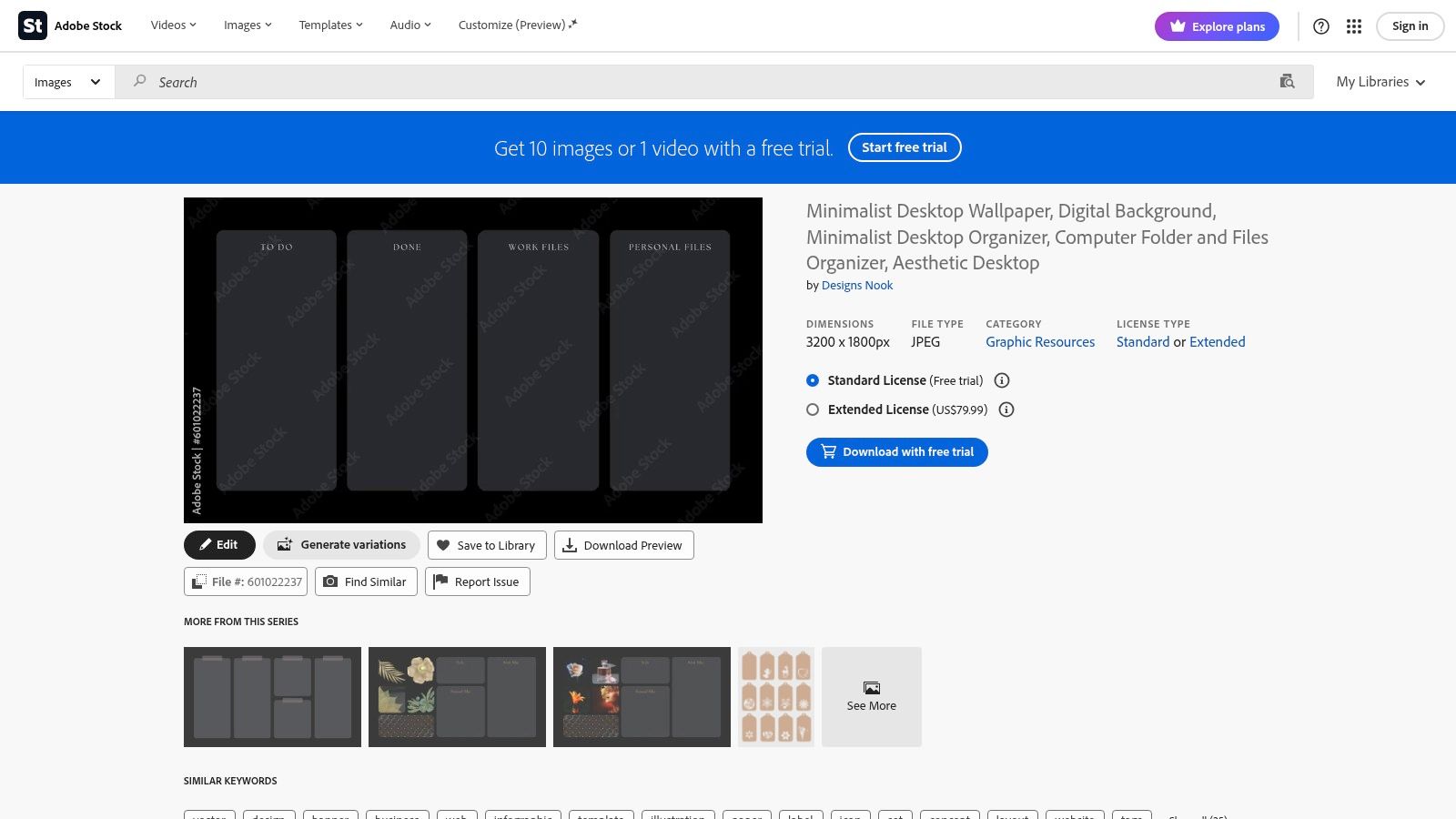
The main added value of Adobe Stock lies in its licensing system. Whether you choose a Standard or Extended license, you obtain clear usage rights, which is crucial for deployment on a corporate scale or for external communications. The seamless integration with Adobe Creative Cloud applications is also a considerable advantage for creative teams.
Highlights and Considerations
- Advantages: Professional and consistent image quality. Clear licenses eliminate any legal ambiguity, which is essential for commercial or corporate use. Ideal for ensuring a coherent brand image.
- Disadvantages: The cost is significantly higher than that of other platforms. Offers are rarely complete packs (wallpaper + icons) and focus more on the image itself.
Tip: Use precise keywords like “desktop organizer template” or “minimalist desktop background” to find functional visuals ready to be customized with your company logo.
Access: Explore wallpapers on Adobe Stock
11. By Inma: The All-in-One Pack for Instant Organization
By Inma specializes in a complete and turnkey solution for those looking to harmonize their digital workspace effortlessly. Rather than selling wallpapers individually, the shop offers a organized desktop wallpaper in the form of a unique pack, designed for immediate visual coherence.
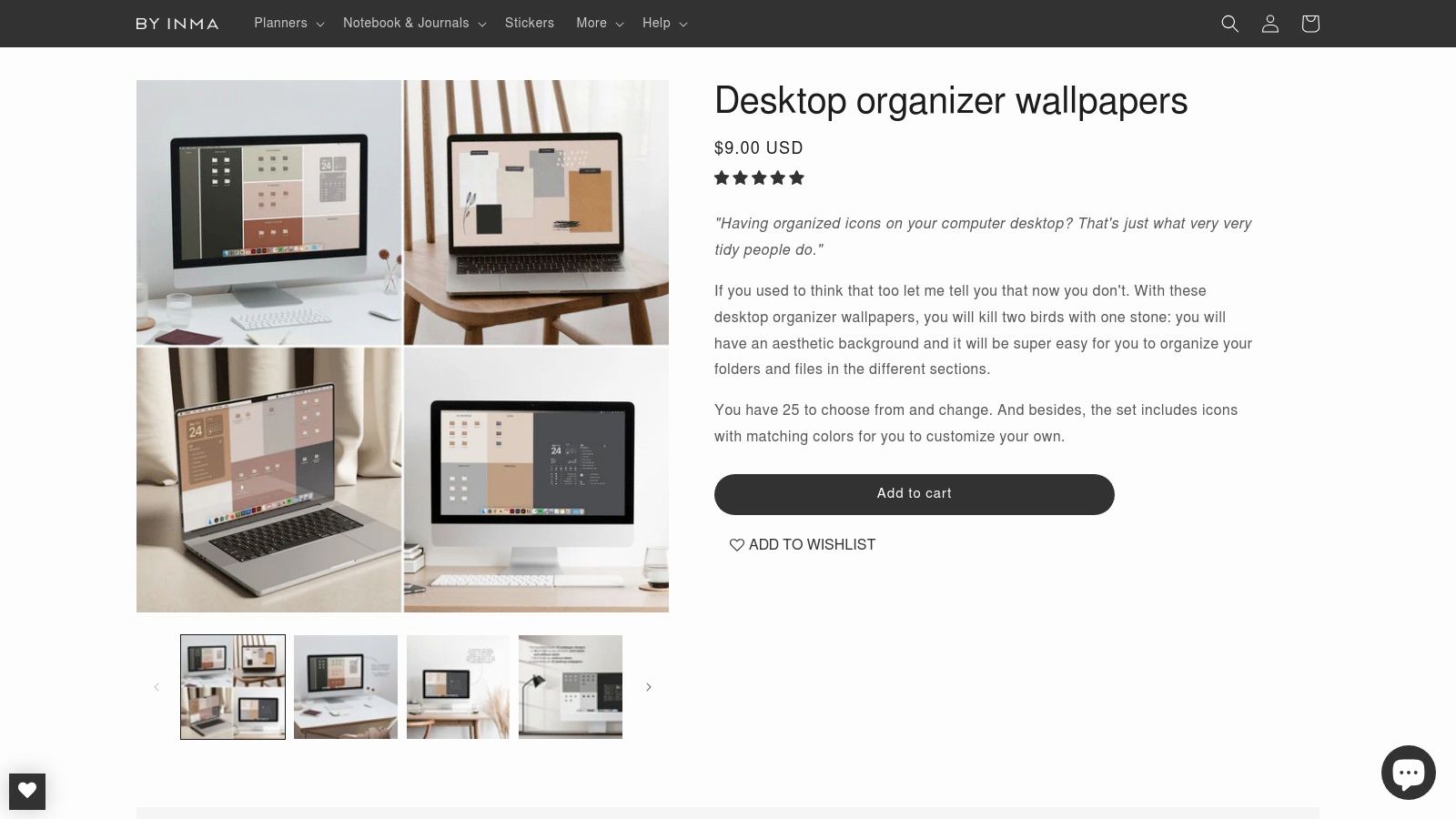
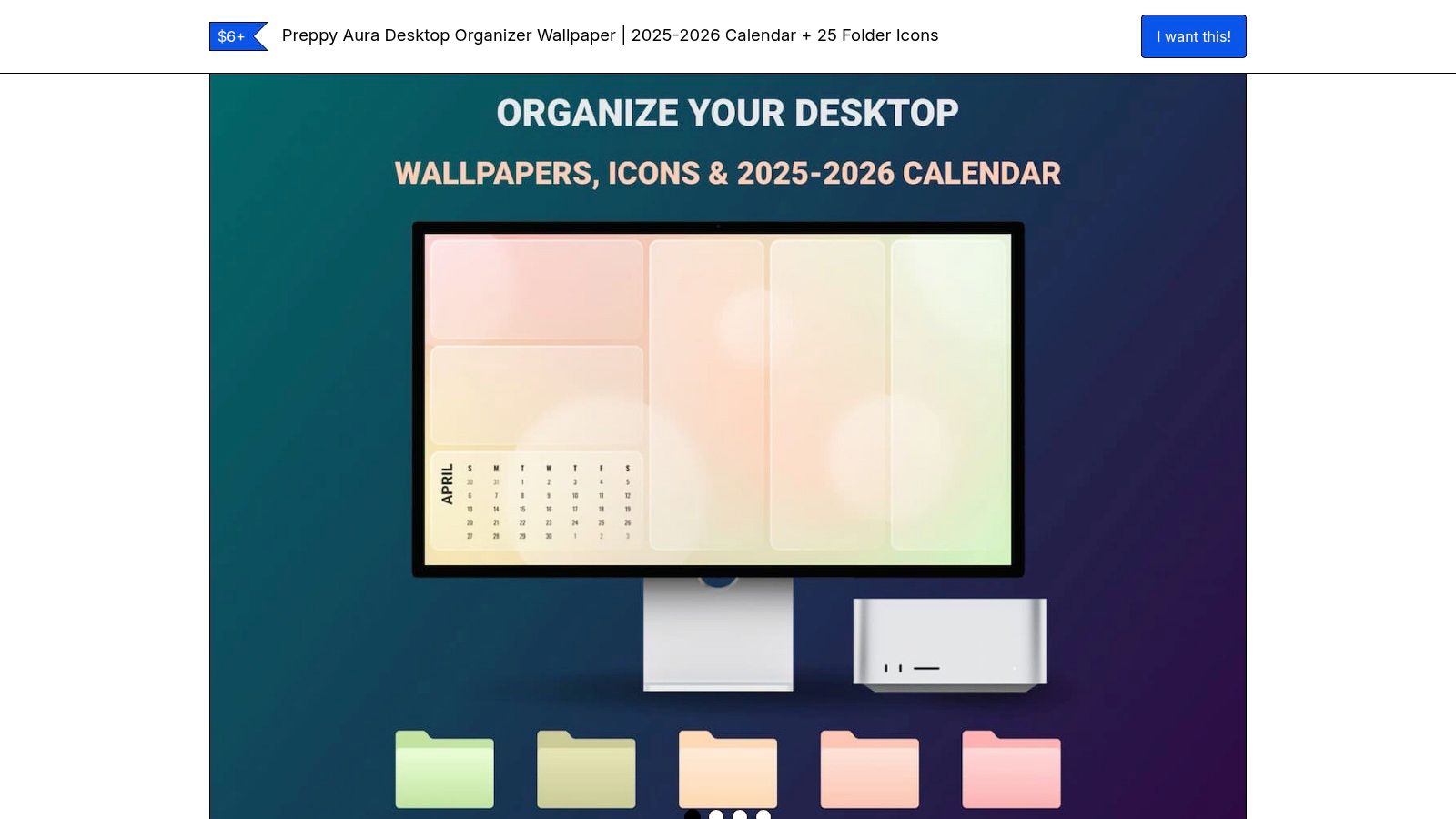
This pack contains everything needed for a complete transformation: a collection of 25 wallpapers (with and without labels), 60 matching folder icons, and an installation guide. The strength of this offer lies in its extensive compatibility. Icons are provided in PNG format for Mac and ICO for Windows, and wallpapers are available in two ratios (16:9 and 16:10), ensuring perfect display on most screens.
Highlights and Considerations
- Advantages: The pack is extremely comprehensive, offering a “one-stop” solution that includes wallpapers and matching icons. The PDF installation guide is a real plus, making setup simple even for beginners on Mac or Windows.
- Disadvantages: The shop is only in English, which may be a barrier for some users. The pack does not offer versions specifically adapted for tablets or ultra-wide screens.
Tip: Since the pack includes versions of wallpapers without labels, you can use a tool like Canva to add your own categories if the ones provided do not match your workflow.
Access: Discover the organizer pack on By Inma
12. Kapwing: The Quick Editor for Functional Prototypes
Kapwing is an online editor that stands out for its speed and simplicity, ideal for creating a custom organized desktop wallpaper without software installation. It offers a selection of customizable templates that serve as an excellent base for quickly prototyping an arrangement of icons and widgets. Its strength lies in its collaborative approach and accessibility.
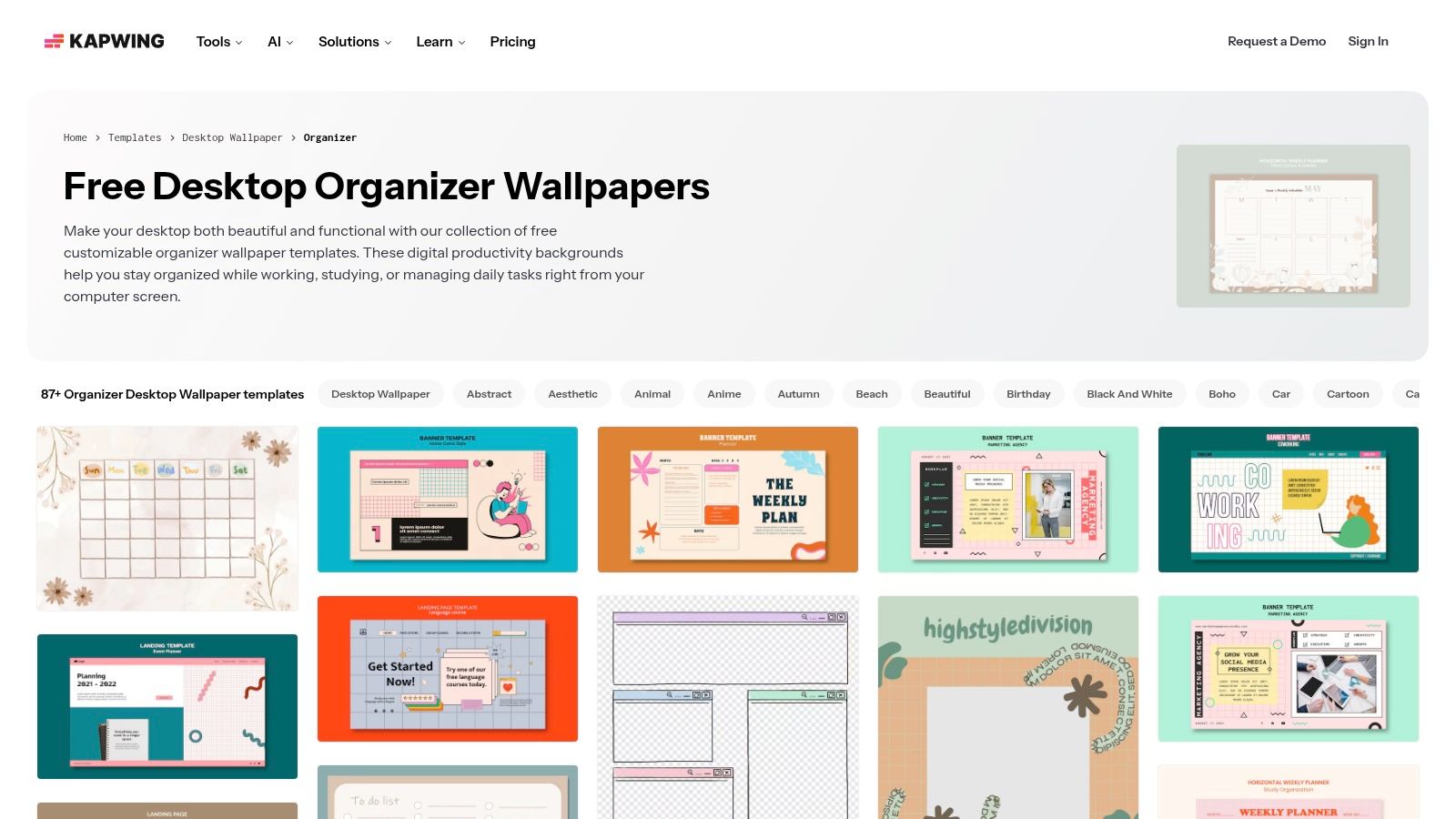
The web interface allows you to modify texts, shapes, and colors in just a few clicks, then export the result instantly. It’s a particularly relevant tool for teams that want to test different configurations of unified wallpapers before finalizing a design. The collaborative feature allows multiple people to work on the same project, simplifying the validation process.
Highlights and Considerations
- Advantages: Extremely fast for prototyping and iterating concepts. Accessible from any browser, without heavy setup. Collaborative features are a real plus for teamwork.
- Disadvantages: The template library is more limited than that of competitors like Canva. Free exports may include a watermark, and advanced features require a paid subscription.
Tip: Use Kapwing to quickly create a “draft” version of your wallpaper. Test the placement of areas and labels before spending time on a more complex design tool for the final version.
Access: Create a wallpaper on Kapwing
Comparison of the 12 Sources for Organized Desktop Wallpapers
| Product | Key Features | Quality ★ | Price / Value 💰 | Audience 👥 | Distinctive Points ✨ / 🏆 |
|---|---|---|---|---|---|
| Etsy | Large selection, instant downloads, calendar & resolution variants | ★★★ | 💰 Low→Medium (frequent promos) | 👥 Individual buyers, small teams | ✨ Huge variety, bundles & buyer reviews |
| Canva | Drag-and-drop editor, brandable templates, PNG/JPG export | ★★★★ | 💰 Free / Paid Pro | 👥 Marketing teams, HR, non-designers | ✨ Easy to brand, multilingual 🏆 speed of use |
| Adobe Express | Optimized templates, resizing, generative help | ★★★★ | 💰 Free / Premium | 👥 Adobe users, creatives | ✨ Adobe ecosystem integration, AI |
| Freepik | Searchable library, editable PSD/AI, PNG/JPG exports | ★★★★ | 💰 Free (with credit) / Premium subscription | 👥 Designers, prototyping | ✨ Editable source files, large catalog |
| Creative Market | Premium templates, icon packs, immediate downloads | ★★★★★ | 💰 Medium→High | 👥 Professionals, agencies, designers | ✨ Pro quality, ready to customize 🏆 mastered aesthetics |
| Gridfiti Shop | Curated multi-device packs, aesthetic themes | ★★★★ | 💰 Medium | 👥 Users seeking visual consistency | ✨ Strong artistic direction, multi-device packs |
| Gumroad | Direct sales from creators, Retina/4K resolutions, frequent updates | ★★★ | 💰 Low (support for creators) | 👥 Author fans, tight budgets | ✨ Recent products, accessible prices |
| Ko-fi (Wallsthetic) | Monthly packs, ZIP PNG, standard desktop resolutions | ★★★ | 💰 Good value for quality/quantity | 👥 Monthly subscribers, students | ✨ Monthly series, ready-to-use calendar |
| Design Bundles | High-resolution PNG, multi-color packs, regular promos | ★★★★ | 💰 Very affordable (frequent sales) | 👥 Quick deployments, cost-saving teams | ✨ Ideal for numerous variants & reduced cost |
| Adobe Stock | High-quality editorial images, clear licenses | ★★★★★ | 💰 High (Standard/Extended licenses) | 👥 Corporate use, professional production | ✨ Legal guarantee & consistent quality 🏆 pro reliability |
| By Inma | Complete pack (25 wallpapers + 60 icons), installation guides | ★★★★ | 💰 Medium | 👥 Cross-OS users, small teams | ✨ Turnkey pack (icons + guide) 🏆 installation practicality |
| Kapwing | Web collaborative editor, modifiable templates, quick exports | ★★★ | 💰 Freemium (watermark if free) | 👥 Prototyping teams, collaboration | ✨ Real-time collaboration, rapid prototyping |
Now, It's Your Turn to Create a Desktop That Reflects You
We have explored a dozen resources, from creative marketplaces like Etsy and Creative Market to powerful design tools such as Canva and Adobe Express. Each of these platforms offers a unique approach to transforming the digital chaos of your desktop into a structured and inspiring workspace. The ultimate goal is clear: gain clarity, reduce the time lost searching for files, and create an environment that fosters concentration.
The choice of the ideal tool entirely depends on your specific needs, your level of design skill, and your goals. An independent creator may find happiness with a minimalist template from Gumroad, while an internal communication team may prefer the flexibility of Canva to create an organized desktop wallpaper in the company colors.
Summary of Solutions and How to Choose
To help you make an informed decision, here’s a summary of the main use cases:
- For a quick and aesthetic solution: Platforms like Etsy, Gridfiti, or the Ko-fi Shop from Wallsthetic Designs are perfect. You will find ready-to-use creations, often at a very affordable cost, ideal for personal use or small teams.
- For customization in company colors: Canva and Adobe Express are the undisputed champions. Their intuitive interfaces and template libraries allow HR and communication managers to easily create branded wallpapers for internal events, onboarding new employees, or corporate culture campaigns.
- For designers and advanced professional needs: Creative Market, Design Bundles, and Adobe Stock offer high-quality resource packs. These options are ideal for agencies or marketing departments that need source files (PSD, AI) for deep customization and integration into larger projects.
Final Tips Before You Get Started
Adopting an organized desktop wallpaper is not a magic solution, but a catalyst for better digital hygiene. The success of this approach relies on discipline. Get into the habit, at the end of each day, of sorting new files into designated areas.
Feel free to adapt your wallpaper to your current workflows. A priority project may deserve its own temporary section on your desktop. The important thing is that your system evolves with you. Your digital desktop is a personal workspace; it should be functional and reflect your way of thinking and organizing your ideas. By investing a little time in its setup, you will reap the benefits of a clearer mind and renewed productivity daily.
To go further and integrate this visual organization into your virtual events and webinars, a tool like ccup.io can transform your presentation style. Create interactive scenes and engaging presentation experiences that captivate your audience, in perfect harmony with the efficiency and clarity you have established on your desktop. Discover how to reinvent your presentations at ccup.io.
From Content To Conversion
Turn your next sports event into a company prediction contest
Discover the platform, explore available competitions, and launch a branded experience that supports engagement, internal communication, and team cohesion.
See available competitions
Latest articles

9 minutes ago
10 Corporate Event Animation Ideas for 2026
Does your corporate event animation create real engagement, or does it just fill a slot in the agenda?
On the ground, this problem often arises. The company invests in a pleasant animation, the atmosphere is lively for an hour, and then the effect disappears by the next day. For hybrid tea...

a day ago
Internal Communication in International Companies: Succeed
In many global companies, the scene repeats itself. The headquarters publishes a message deemed clear, well-validated, perfectly aligned with the strategy. Two days later, a subsidiary in Asia has barely relayed it, a team in Europe has understood it as an operational directive when it was meant ...





















Contact us
For any question or quotation requests, do not hesitate to reach us by phone at 01 83 79 24 54 or by email : contact@ccup.io
Contact us


Frequently asked questions
What is ccup.io?
Ccup.io is a cohesion tool, allowing firms to gather their collaborators on the occasion of major sporting events, such as World Cup or Olympic Games. We offer an interactive forecasting platform, turnkey and customisable to your company’s colours.
What are you doing with our data?
By deciding to use our services, you decide to entrust us a part of your data – this will allow us to optimise your experience. We place great emphasis on the protection of your data, in compliance with current regulations. Given that it is important to be informed on the issues and challenges of personal data protection, ccup.io provides you with a most complete documentation on this matter.
How much does it cost?
In order to give our clients flexibility, we make a special rate depending on the number of registered players using a degressive system for an important number of participants. This allows firms to organise tailored events, adapted to their capacity. To receive a commercial offer in less than an hour, you only need to fill out the quotation requests form, with just a few clicks.



Don’t miss this opportunity 😍
Start now and enjoy numerous benefits